LangBot - Instant Messaging Bot Development Platform
LangBot integration guide — build AI-powered chatbots for Feishu, DingTalk, Telegram, Discord, and more. Supports Knowledge Base, Agent, and MCP with Ace Hub.
LangBot is an open-source instant messaging bot development platform that supports various instant messaging platforms such as Feishu, DingTalk, WeChat, QQ, Telegram, Discord, Slack, etc. It integrates with mainstream global AI models, supports various AI application capabilities like Knowledge Base, Agent, MCP, and is perfectly compatible with AceHub.
- Official Website: https://langbot.app
- Download Address: https://github.com/langbot-app/LangBot/releases
- Official Documentation: https://docs.langbot.app
- Open Source Address: https://github.com/langbot-app/LangBot
Integrating AceHub
LangBot supports integrating with locally deployed AceHub and third-party AceHub services built using AceHub.
Usage
-
Obtain an API key from AceHub
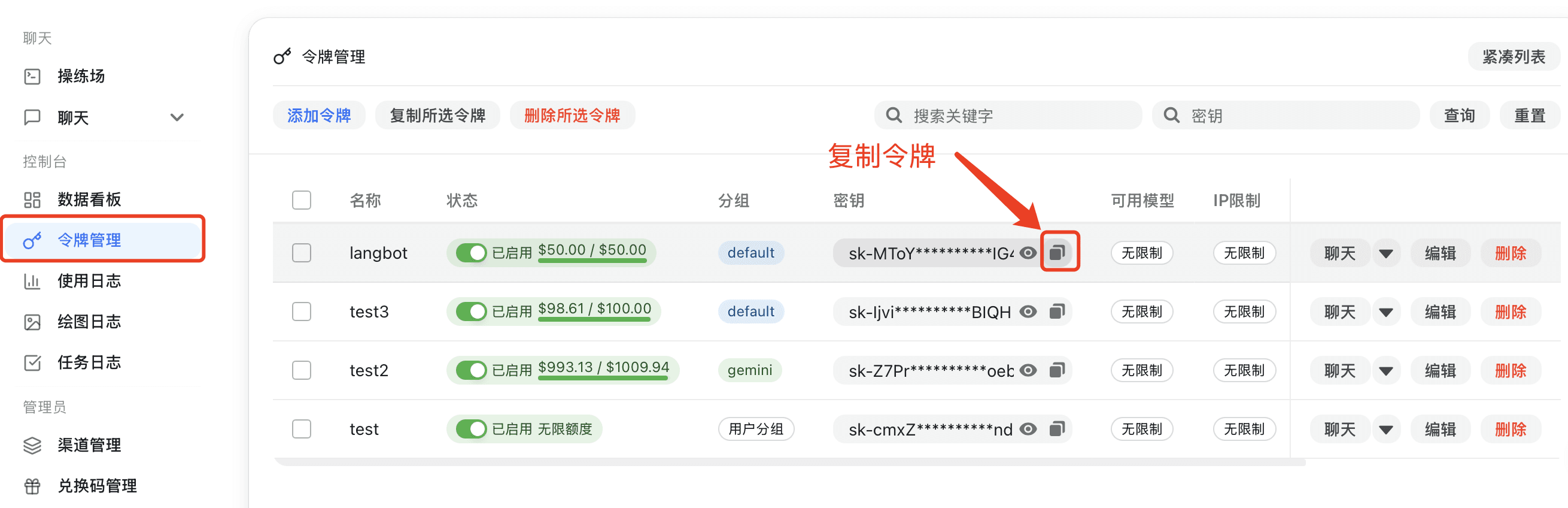
If AceHub is deployed locally, please configure the API address yourself (refer to Container Network Connection). If using a third-party AceHub service, you can copy the address from the page. Note that
/v1needs to be appended to the address. -
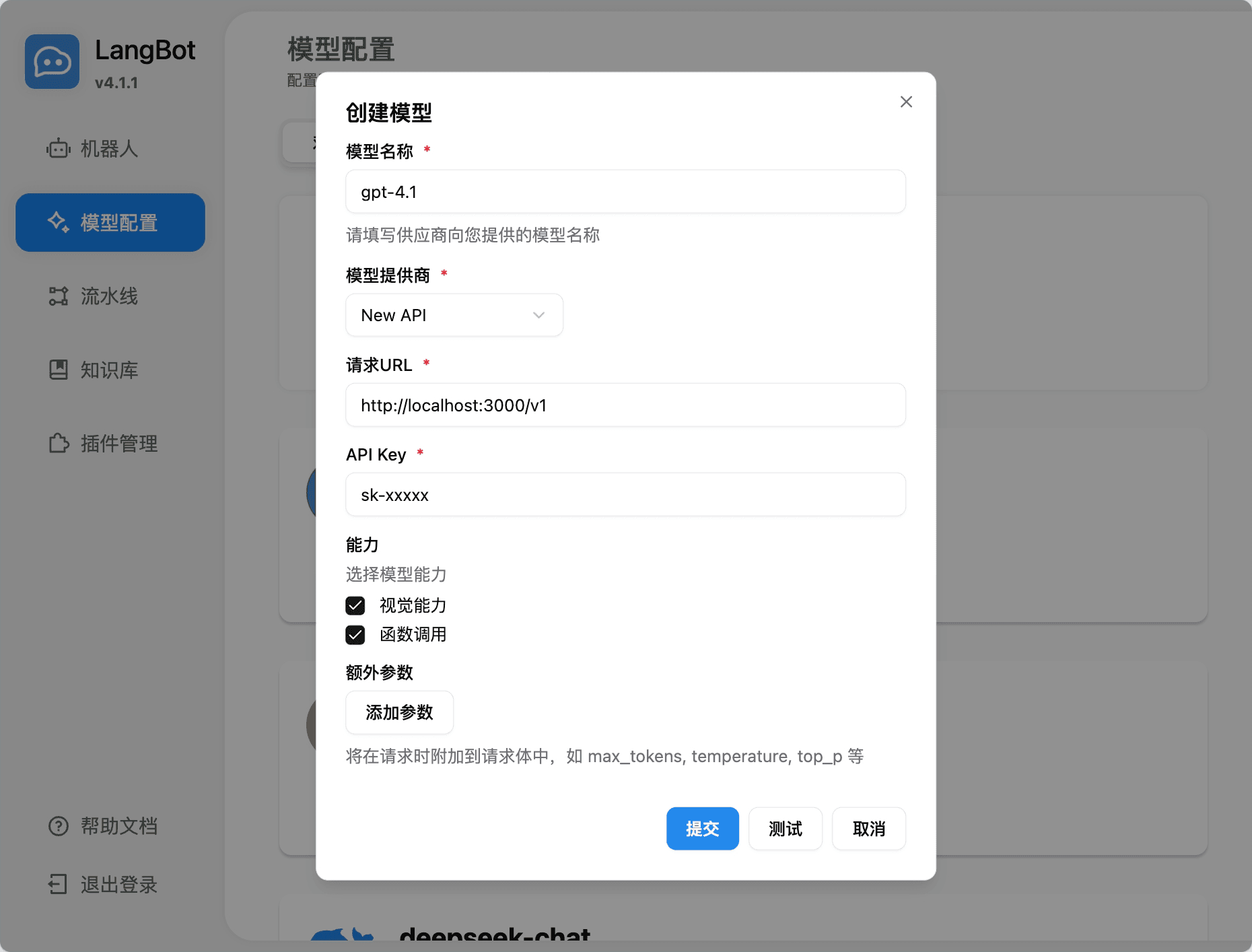
Add a model in LangBot, select AceHub as the provider, and fill in the corresponding API key and API address
-
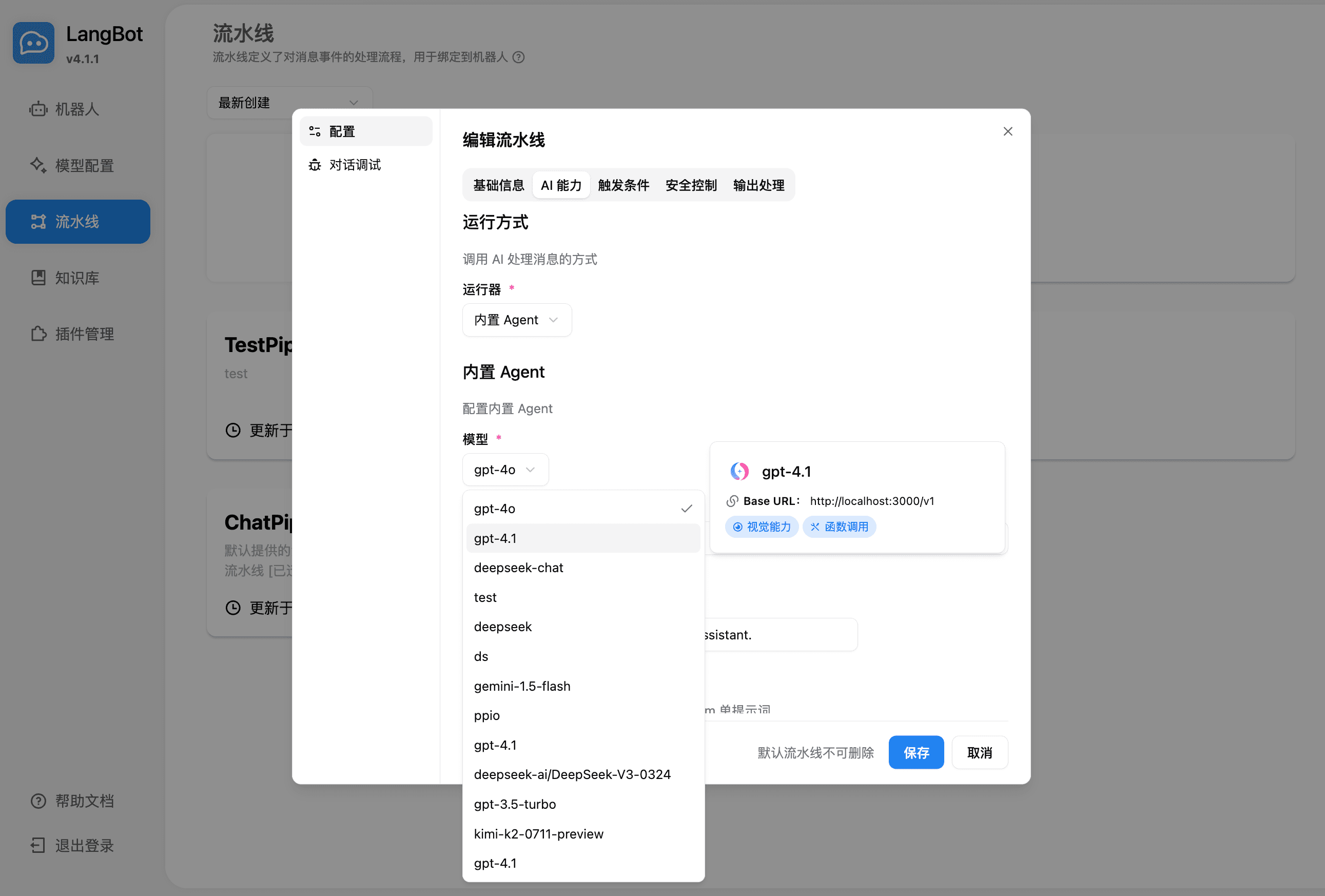
Select the model to use in the pipeline
-
Use it by chatting in conversation debugging or by chatting with a bot bound to the pipeline
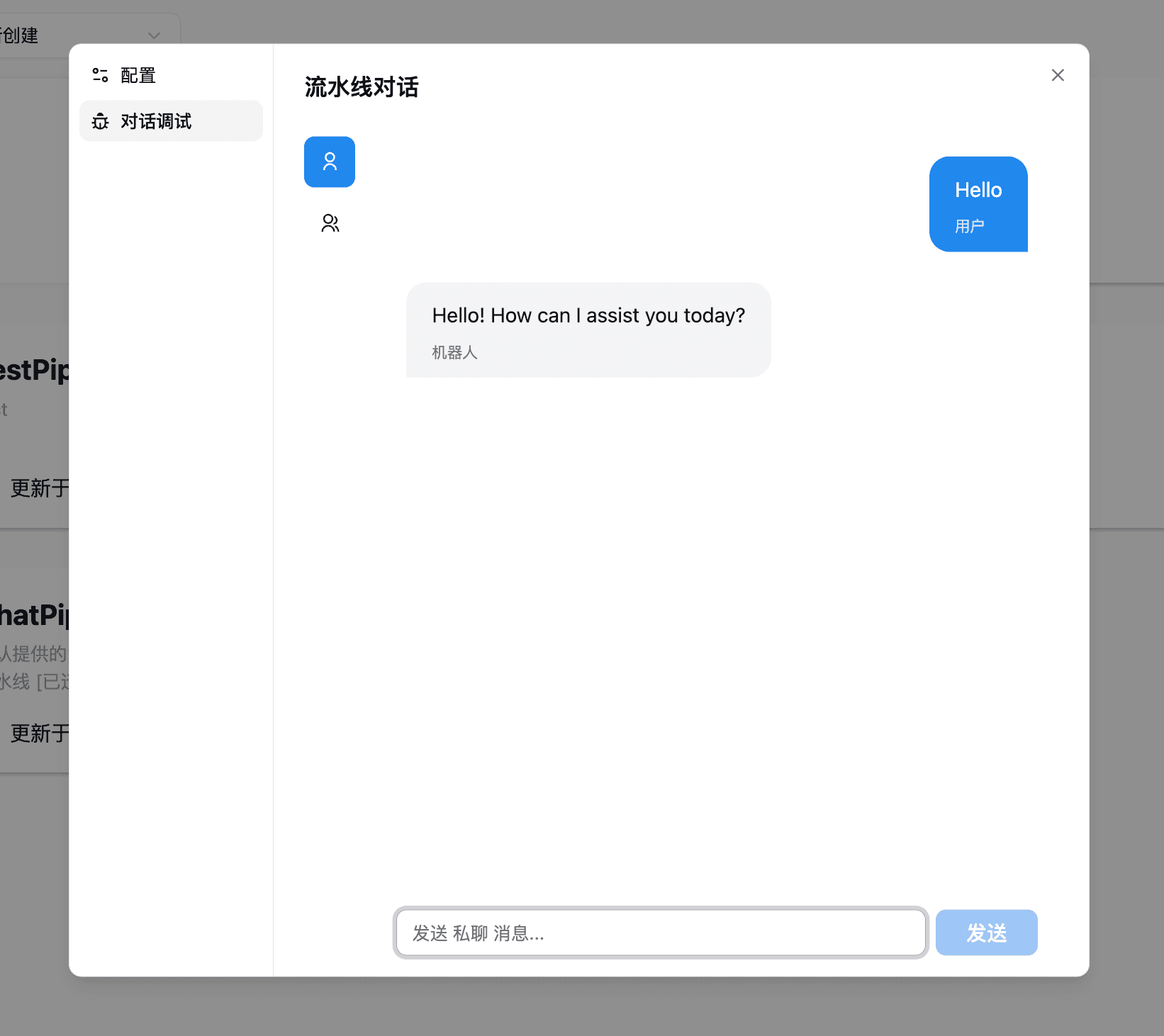
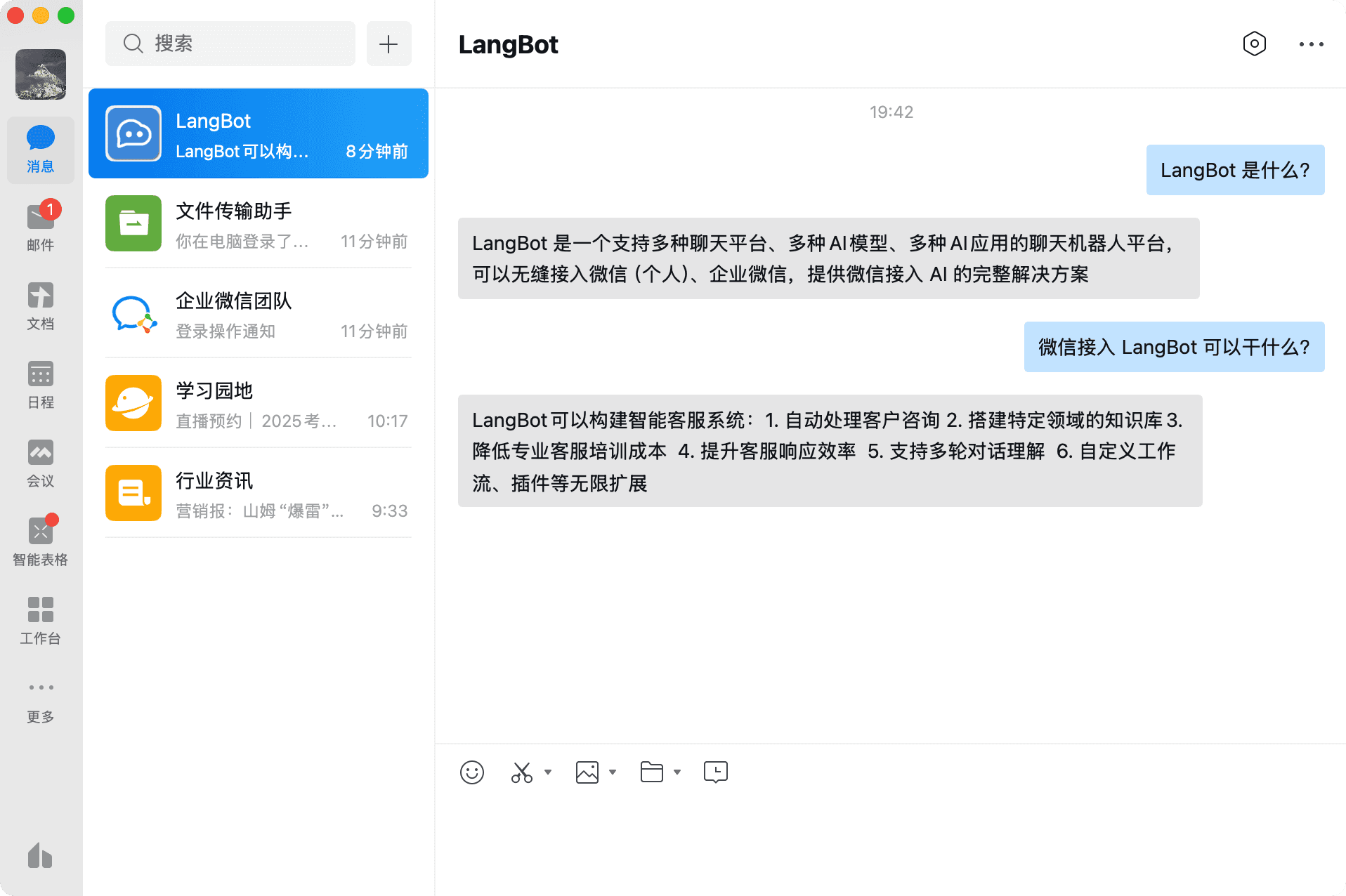
For deploying and configuring bots, please refer to Deploying Bots.
Using LangBot Knowledge Base
LangBot supports using AceHub's embedding models and utilizing them as vector models for the knowledge base.
-
Add an embedding model in LangBot, select AceHub as the provider
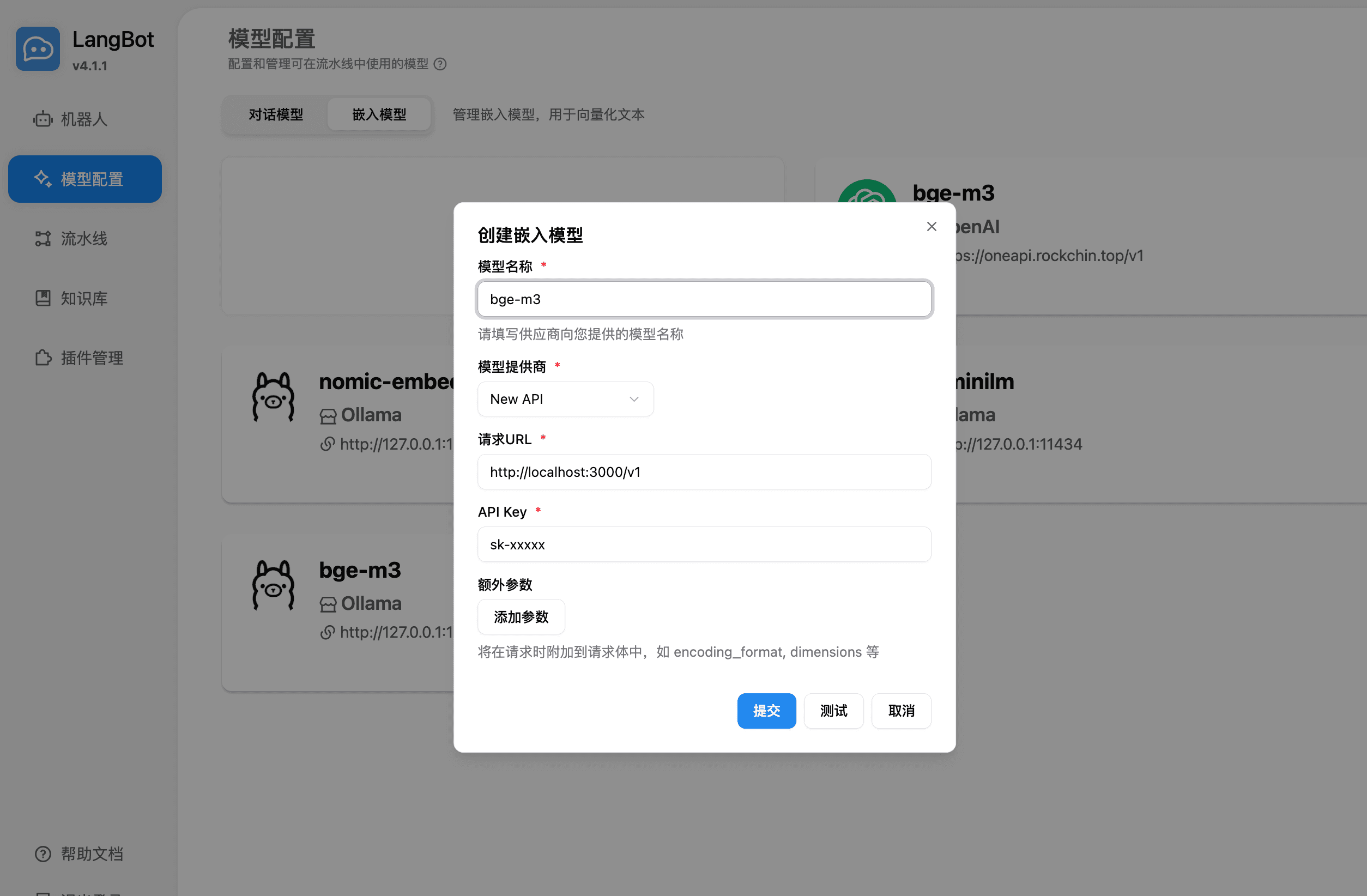
-
Select the embedding model when creating a new knowledge base
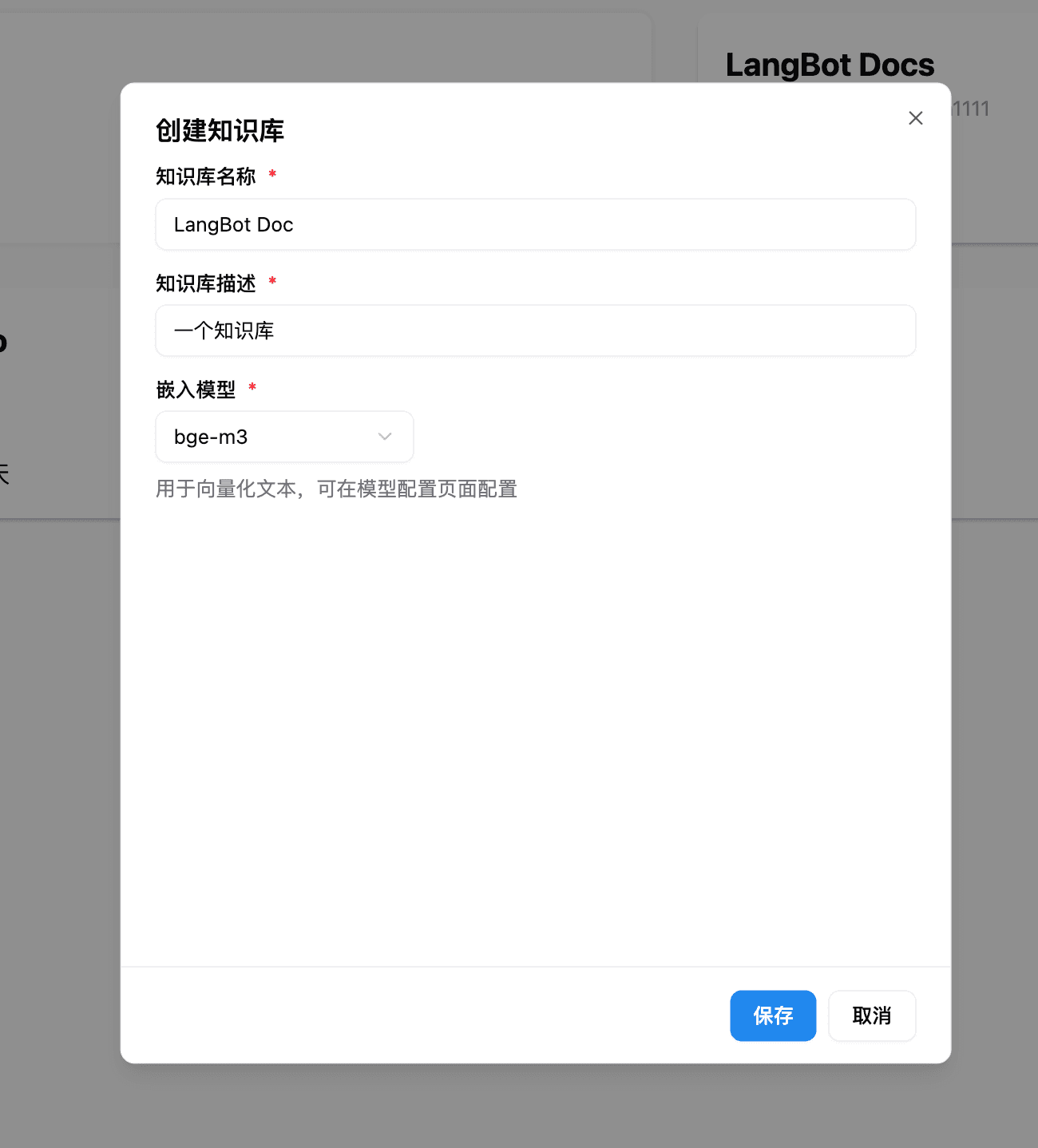
For more usage instructions, please refer to the LangBot official documentation: https://docs.langbot.app
Last updated on
OpenClaw - Self-hosted AI Assistant Platform
OpenClaw Tutorial — Install OpenClaw, integrate Ace Hub, and quickly set up a self-hosted AI assistant. Open-source project, supporting multi-channel integration like Telegram, Discord, WhatsApp.
LunaTranslator - Open Source GalGame Translator
LunaTranslator Tutorial — An open-source GalGame / visual novel translator that supports HOOK, OCR, and AI translation engines. Integrates with Ace Hub to improve translation quality.